
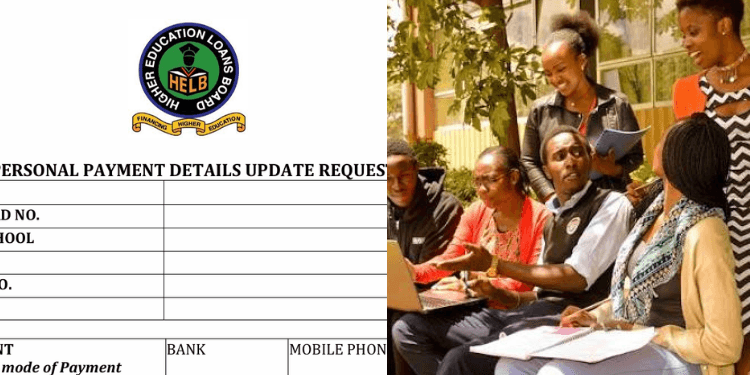
Students applying for HELB and those who are beneficiaries can update their personal information through the official HEF Student Portal.
This is to ensure that their records remain accurate when applying for or receiving government student financing.
Students whose contact, identification, or other personal information has changed are required to update the details.
How to Update Personal Details on HELB Student Portal
To update any detail, one must access the HELB portal using their browser on phones or computers, or the HELB mobile app, to access student services.
Once on the portal, log in using the email address and password registered with your account. Students who have forgotten their passwords can use the password-reset option provided on the portal.
Also Raed: HELB Loan Status 2026: How to Check Allocation, Disbursement and What Parents Need to Know
For new users, applicants can register using their National ID details, or their KCSE index number if they do not yet have a National ID and a valid email address.
After logging in, open your profile and review the personal information displayed on your account.
Students are then required to fill in their profile and update their biodata, enter their personal details, and save the information to continue. Carefully check details such as your name, identification information, telephone number, email address, and other information requested by the portal.
Students should ensure the information entered matches their official documents to avoid problems when their application or records are being processed.
After making the necessary corrections, save the updated information before proceeding with other services on the portal.
Changing Bank or Mobile Payment Details
Not every type of information may be changed directly through the online process. Some changes, particularly payment-related details like bank details, have a separate procedure.
If the information being changed concerns the bank account or mobile payment number used to receive HELB funds, HELB provides a specific Student’s Personal Bank and Phone Details Change Request Form.
The form requires details including the student’s full name, National ID number, institution, admission or registration number, telephone number, and email address. Applicants changing payment information are required to provide the old and new mobile payment number or bank account details, depending on the payment method being changed.
Students are also required to provide documents, including a copy of the National ID and, where applicable, a copy of the ATM or bank card. The student is required to declare that the new payment details belong to them.
Students who cannot update a particular detail online should use HELB’s official amendment or inquiry channels rather than creating another account.
To access the form, log into the portal and navigate to Resource amendment where you are required to download the form, fill and upload it.
How to Check HELB Loan Status
Students who have applied for government funding can follow these steps to check their allocation and disbursement status:
- Visit the HEF Student Portal at www.portal.hef.co.ke.
- Log in using the details used during the application.
- Check the application status to confirm whether funding has been allocated, including batch numbers.
- Review the allocation details to see the scholarship or loan amount awarded.
- Check the disbursement section to establish whether the funds have been released.
Students can also access their HEF account through the HELB App or by using the HELB USSD service.
Parents and guardians can ask students to check the portal directly since the allocation and disbursement information is linked to the student’s account.
Follow our and X Account for real-time news updates.



Comments
No comments yet. Be the first to share your thoughts.