
M-PESA users can now automatically invest part of the money they use for everyday transactions in the Ziidi Money Market Fund (MMF) through the platform’s Auto Invest feature.
The feature allows customers to set an investment rule that runs automatically whenever they make selected M-PESA transactions.
Instead of having to remember to move money into an investment account, the user can set the system to invest a fixed amount or a percentage of each qualifying transaction.
Ziidi MMF is a unit trust offered through M-PESA and regulated by the Capital Markets Authority (CMA).
Safaricom launched it in December 2024, ahead of its official public launch in January 2025, allowing customers to start investing with as little as Ksh100.
The fund is managed by licensed fund managers, while Safaricom provides the technology that allows customers to access the investment through M-PESA.
How Ziidi Auto Invest Works
Auto Invest has two main options.
The first is Fixed Amount. Under this option, a customer chooses a specific amount to invest each time they complete a qualifying transaction.
For example, a customer can set the investment amount to Ksh50.
If the customer makes a qualifying M-PESA transaction, Ksh50 is automatically moved from the M-PESA balance into their Ziidi investment.
The second option is Percent of Transaction.
Here, the customer chooses a percentage to invest with each qualifying transaction.
For example, a customer who sets Auto Invest at 10% and then sends Ksh500 would have Ksh50 automatically invested in Ziidi.
The Ksh500 transaction itself remains the transaction amount, while the investment is taken separately from the customer’s available M-PESA balance.
The feature applies to outward M-PESA transactions including sending money, paying a PayBill and making payments to a Buy Goods Till.
A customer therefore does not have to wait until they have saved a large amount of money before investing.
Small amounts generated from regular transactions can build up in the Ziidi account over time.
How to Set Up Auto Invest on M-PESA
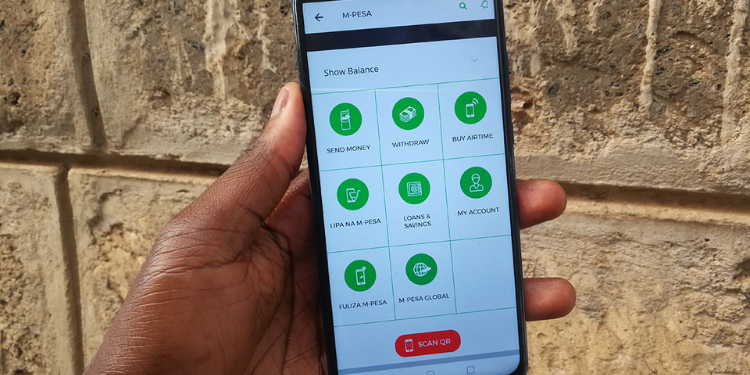
Customers can activate the feature through the M-PESA App or by using USSD.
On the M-PESA App, the customer needs to open the app, go to Ziidi, and select Auto Invest.
They can then choose either the Fixed Amount or Percent of Transaction option, set the amount or percentage they want to invest, and confirm the instruction using their M-PESA PIN.
Safaricom’s product information also gives the USSD route as 3345#, followed by the Ziidi Auto Invest option.
Once activated, the selected rule is applied automatically to qualifying transactions. The customer does not need to manually transfer the investment amount after every transaction.
The money moved through Auto Invest becomes part of the customer’s Ziidi MMF investment. Ziidi calculates returns daily, and the investment value changes with the performance of the underlying fund.
Safaricom says customers can view the applicable daily interest rate through its M-PESA channels.
Ziidi is not a normal M-PESA savings balance.
It is a money market fund investment, meaning licensed fund managers invest the money.
Safaricom’s terms state that the investment carries market and interest-rate risk, so returns are not guaranteed.
Customers can withdraw money invested in Ziidi, together with accrued returns, back to their M-PESA account through the available access channels.
Safaricom says deposits into and withdrawals from Ziidi are free.
The original Ziidi launch information set the minimum investment at Ksh100, while M-PESA’s applicable transaction limits continue to apply.
The Ziidi terms also require customers to be at least 18 years old and to have been registered and active M-PESA customers for at least three months before opening a Ziidi account.
Follow our WhatsApp Channel and X Account for real-time news updates.

Comments
No comments yet. Be the first to share your thoughts.