

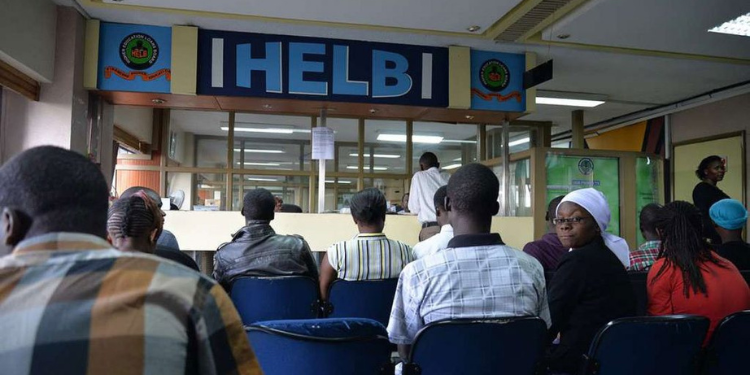
The Higher Education Loans Board (HELB) has announced the disbursement of student loan funds to universities and colleges under five newly processed batches.
In a statement on Thursday, October 8, HELB said it had processed and disbursed batches HELB-007139, HELB-007145, HELB-007147, HELB-007146 and HELB-007132 to the respective institutions.
“Good news, students! Batches HELB-007139, 007145, 007147, 007146 and 007132 have been processed and disbursed to institutions,” HELB said.
Students whose applications fall under the listed batches have been advised to check their HELB student portals for updates on their loan status.
They can also contact their universities or colleges to confirm whether the funds have been received and reflected in their fee accounts.
How to Check Your HELB Loan Status
The HELB Student Portal lets beneficiaries track their loan applications, including allocation, processing, and disbursement.
Students can check their status by logging into the portal using their registered credentials and reviewing the details of their current loan application.
The Higher Education Financing (HEF) portal also gives students access to information on their higher education funding and loan records.
Students whose batches have been marked as disbursed can also contact their institutions for confirmation, especially if the funds have not yet appeared in their fee accounts.
How to Access HELB Upkeep Through M-Pesa
Students can access their upkeep through the HELB Mini App on M-Pesa after receiving the required confirmation.
According to HELB’s guidance, students using the M-Pesa App should:
- Download and open the M-Pesa App.
- Register using the phone number registered for M-Pesa.
- Log in and select Categories from the home page.
- Select Education, then choose HELB.
- Register on the HELB Mini App and sign in using the M-Pesa-registered phone number.
- Enter the SMS verification code.
- Once logged in, select the Withdraw option.
- Follow the prompts to transfer the available upkeep funds to the M-Pesa account.
Students should use the phone number linked to their M-Pesa and HELB payment details when accessing the service.
How to Access HELB Upkeep Through USSD
Students can also access their upkeep through the *642# USSD service.
The procedure provided by HELB is:
- Dial *642# and select Login.
- Enter the required personal details.
- Select Withdraw Funds.
- Select Upkeep and enter the amount to withdraw.
- Confirm the transaction and wait for the confirmation message after the funds are deposited into the M-Pesa account.
Students should first confirm that their upkeep has been disbursed and that they have received the required SurePay communication before attempting to withdraw the funds.
What M-Pesa Students Should Know About HELB SurePay Messages
Students receiving their HELB upkeep through M-Pesa may not be able to access the money immediately after their batch is marked as disbursed.
HELB has previously advised students receiving upkeep through its M-Pesa wallet to wait for the required SurePay confirmation SMS before attempting to access the funds.
In response to a student asking about accessing a paid batch, HELB said students should wait for the confirmation message before accessing their money through the HELB M-Pesa wallet.
The board has also advised students who receive the second SurePay confirmation message to dial *642# to access their upkeep funds.
“Once you receive the 2nd SurePay confirmation message, you can dial *642# to access the funds,” HELB said in a response to a student.
This means that a student may see that their batch has been disbursed but still be unable to access their upkeep immediately through M-Pesa.
The disbursement status and the subsequent SurePay communication are therefore important steps for students using the mobile payment option.
Students whose batches have been marked as paid may have to wait for the relevant SMS before accessing their upkeep through M-Pesa.
HELB has previously advised students to allow time for the confirmation message to be sent after disbursement. In its guidance to students, the board has indicated that the communication may take up to 72 hours.
Follow our and X Account for real-time news updates


Comments
No comments yet. Be the first to share your thoughts.