
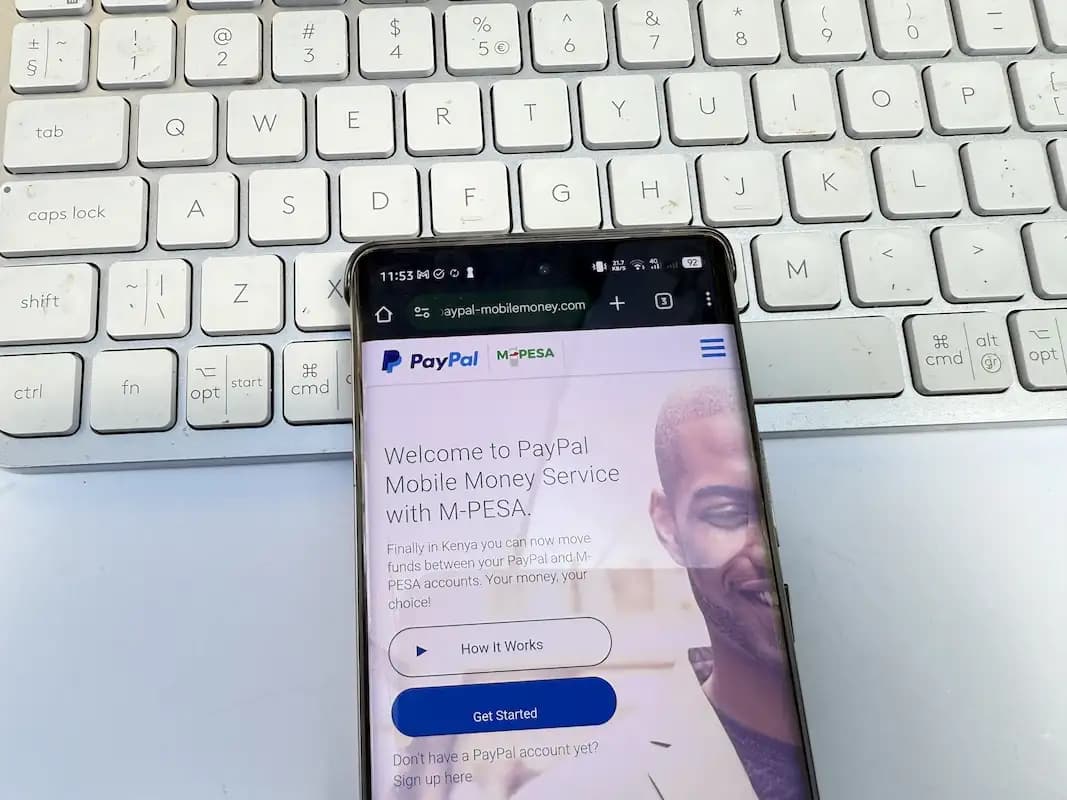
This article has been updated to reflect the latest changes that require the M-Pesa app to withdraw from PayPal. The PayPal mobile money portal will stop working on August 16, 2025. You can ready the updated steps here.
PayPal is one of the popular tools for freelancers, online business owners or anyone getting paid internationally. If you are in Kenya, getting that money into your hands or your M-PESA wallet can be challenging if you have never done it before.
PayPal partnered with Safaricom a few years back to make it possible to withdraw money to M-PESA directly, safely, and conveniently. Here is how to do it in 2025.
The PayPal–M-PESA service is powered by Thunes and supported by Safaricom. This service allows you to transfer funds between your PayPal and M-PESA accounts. The service allows both withdrawals from PayPal and deposits too. It is perfect for freelancers, remote workers, online shoppers or businesses that receive payments from clients out of Kenya.
Before you can withdraw money from your PayPal account to M-Pesa, make sure you meet the following requirements:
- Have a verified PayPal account (linked to your email).
- Have an active M-PESA account.
- A Safaricom phone number that is registered with M-PESA.
- Access to the official PayPal–M-PESA portal that is paypal-mobilemoney.com/m-pesa
You will only be required to do this once. Follow the steps below:
- Go to the PayPal–M-PESA portal.
- Click “Get Started”.
- Log in using your PayPal account email and password.
- Enter your M-PESA phone number.
- You will receive an SMS confirmation code. Enter it to verify your number.
- The system will automatically check your PayPal email and link the two accounts.
When you have linked your PayPal and M-PESA accounts, withdrawing funds is straightforward:
- Visit the portal (paypal-mobilemoney.com/m-pesa).
- Log in using your PayPal account credentials. The Portal is not the main PayPal site but allows login via PayPal and can show you your PayPal balance too.
- Tap on “Withdraw from PayPal”.
- Enter the amount in USD that you want to withdraw.
- The system will show the current exchange rate and the equivalent KES amount that you will receive on M-Pesa. The exchange rate is usually higher than what you see on Google.
- Confirm the transaction to proceed.
You’ll receive the money in your M-PESA account within a few minutes.
Here’s what to expect in terms of costs:
| Item | Details |
| Minimum withdrawal | $1 USD |
| Daily M-PESA limit | standard limits apply |
| Fees | Included in the exchange rate |
| Exchange rate margin | ~3% FX margin by Thunes |
You don’t pay a fixed fee, the system deducts its margin through the exchange rate.
Most transactions are usually completed in under 5 minutes. Even with that sai, delays can happen due to:
- Public holidays
- System outages
- Verification issues
If you have not received funds after 2 hours, check your PayPal activity and M-PESA SMS. You can also reach out to Thunes support through the same portal.
Make sure your Safaricom line is active and registered to use M-PESA.
Confirm your PayPal name matches your M-PESA details.
Wait up to 2 hours. Still no funds? Contact support via the portal.
No. The service only supports transactions between your own accounts.
Yes, it’s officially powered by Thunes, authorized by PayPal and Safaricom.
Yes, Equity Bank also supports withdrawals, but it takes 1–3 days.


Comments
No comments yet. Be the first to share your thoughts.