
The process to sync audio to video is quite a problematic experience, as out-of-sync speech or echoing sounds can make the streaming experience unpleasant. In most cases, you need to spend time and effort to ensure there is audio-video synchronization, which becomes easy and effective with proper tools. We have carefully selected the most effective online tools and software, like Wondershare Filmora, to ensure you generate clear and professional content.
Here are some of the top-most used online tools that you can refer to sync video and audio elements without having to download any software:
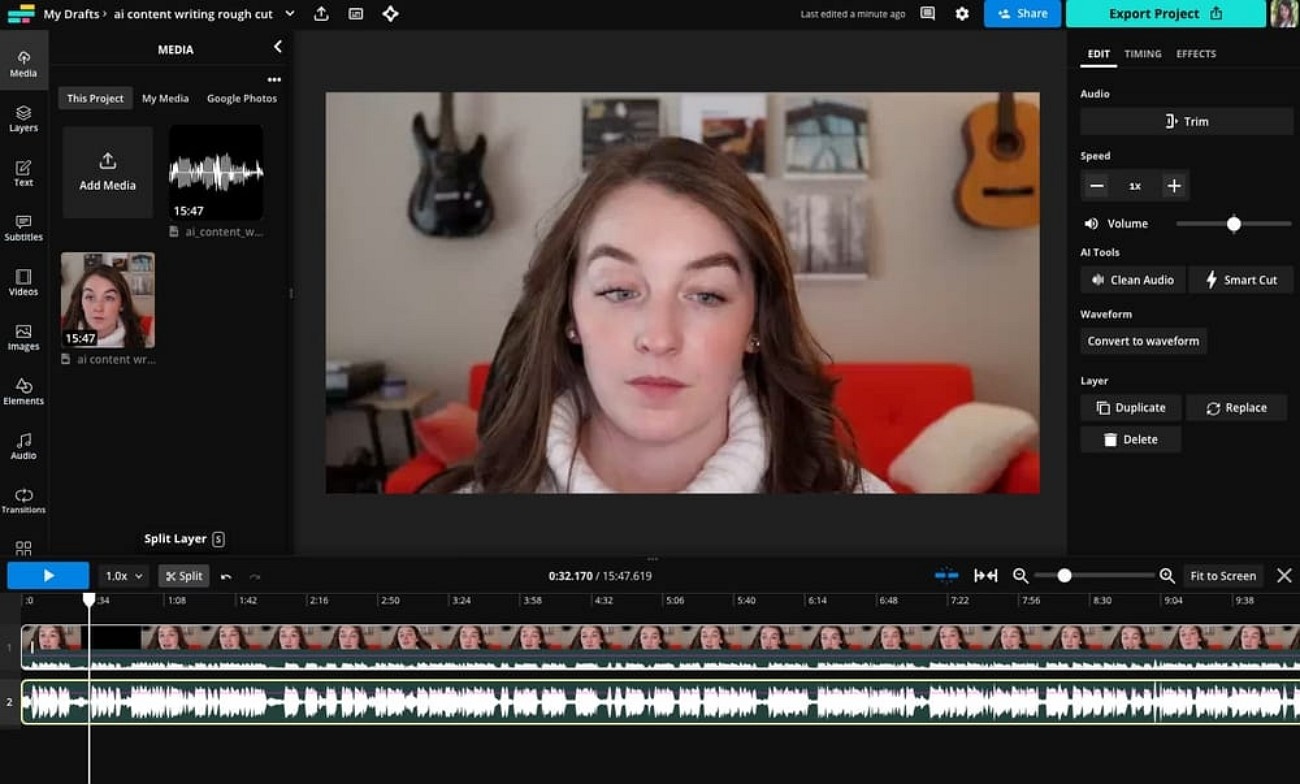
- Kapwing
With Kapwing, it is easy to sync sound with video because you can adjust audio manually on the timeline itself. It enables fine-tuning of audio clips as far as cutting or positioning them as per the video frames. You can preview the results as you are working to make sure you don’t miss anything before you export the outcome.
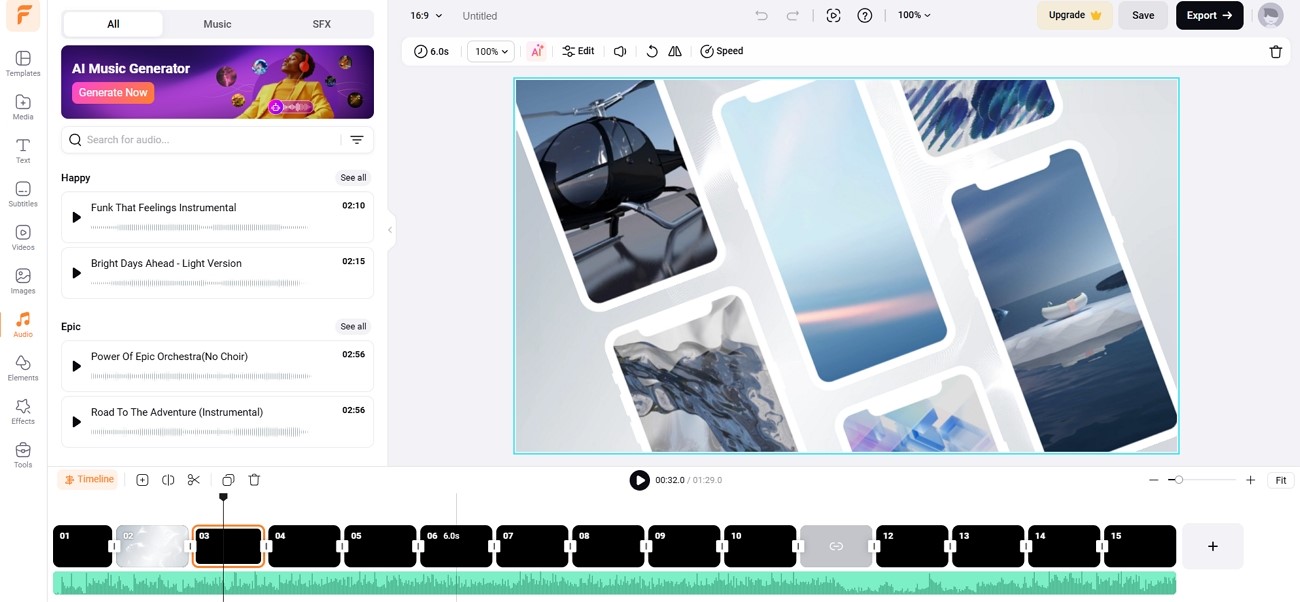
- FlexClip
Using FlexClip, you get a user-friendly interface to add sound to a video by dragging and dropping. The audio tracks can be manipulated on the timeline with the possibility of trimming unwanted sections. You can easily upload your audio and video files through different cloud-based systems. Detaching the audio from a video can help you work on matching audio to video with convenience.
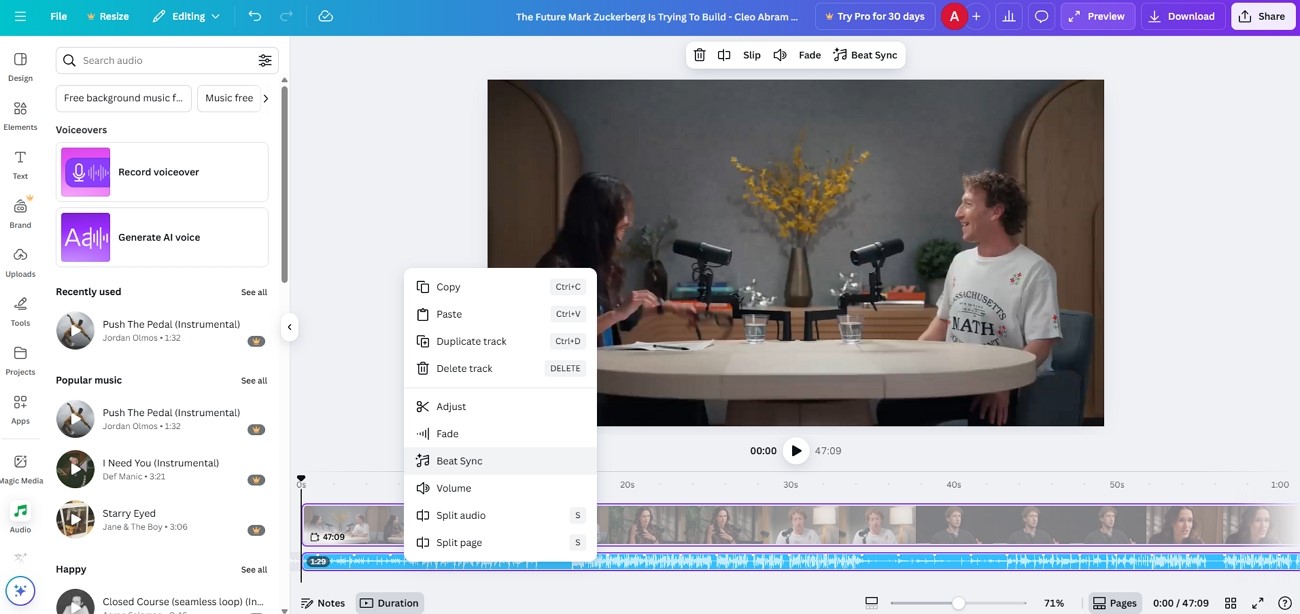
- Canva
Canva has a “Beat Sync” technique that recognizes the rhythm of the audio that you upload and matches it to your video clips. It can work with different formats, can show a real-time preview of the auto sync video and audio process done to ensure the final version video is polished.
Since the above online tools do not have the most accurate audio and video synchronization, you can use these offline solutions for advanced editing:
- Wondershare Filmora
Filmora synchronizes audio and video automatically with its Auto Synchronization feature. The automatic matching of separately recorded sound to the matching video clips is achieved by examining the audio waveforms. It offers additional powerful editing capabilities, which makes it a feature-rich and user-friendly video editing software.
This audio synchronization software provides you with more control over your audio and video files compared to other tools. Once you sync and match the content, you can use the built-in AI tools to improve the audio and video components to get a clean result.
Below are the steps you need to follow to get a clear and enhanced viewing experience by making sure the audio and video files are in sync:
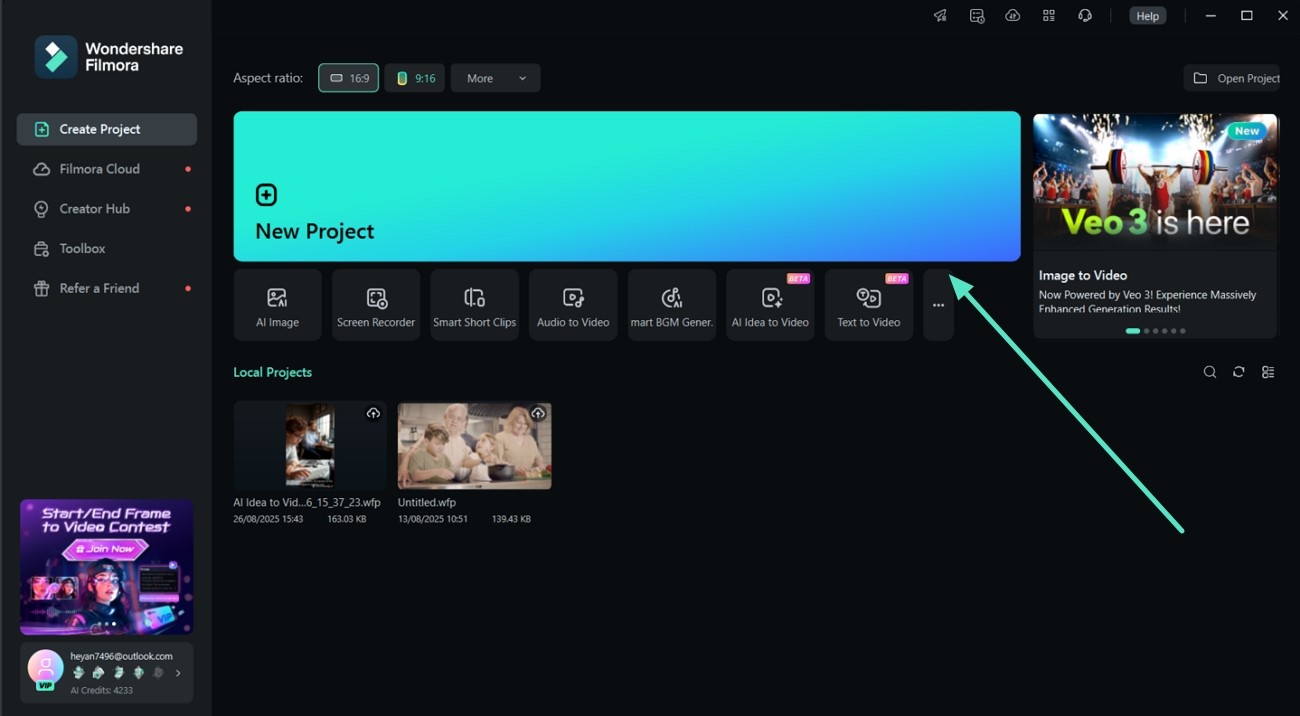
- Step 1. Start a New Project to Import Audio and Video Files.
Initiate the process by getting access to the latest Filmora software, clicking on “New Project” in the startup window, and importing the audio and video files.
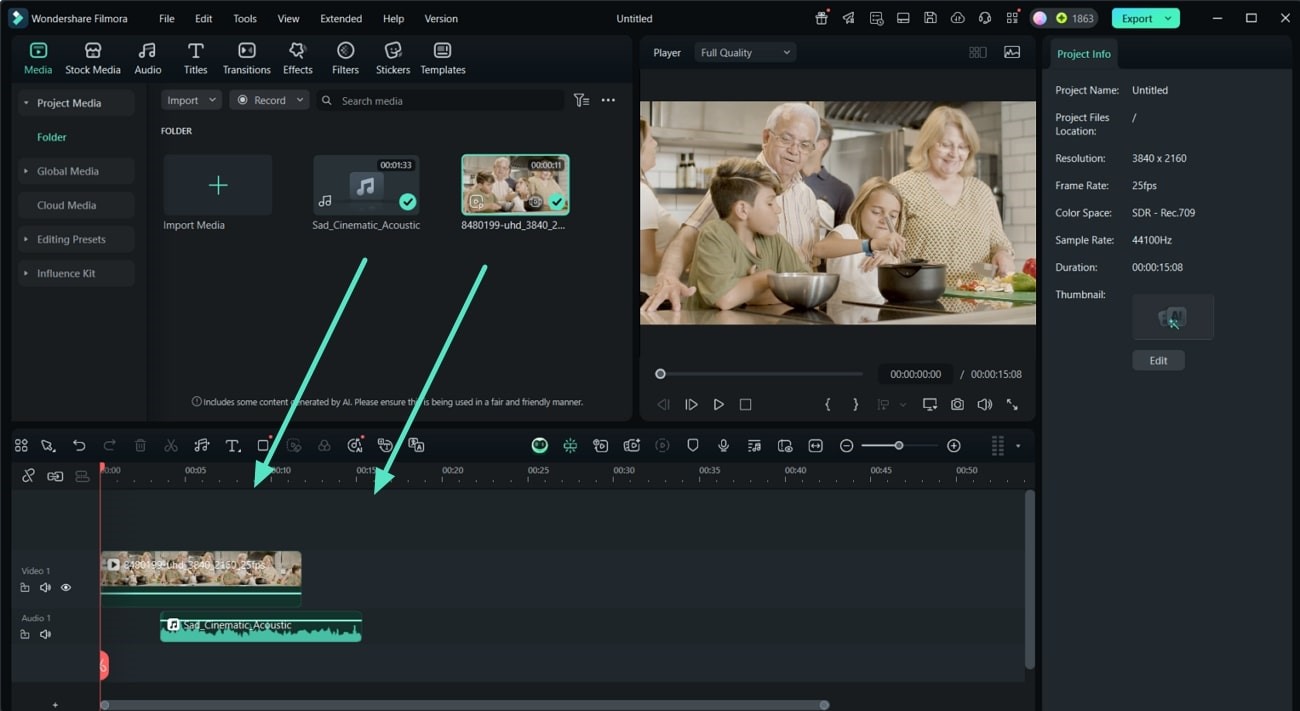
- Step 2. Drag Both Elements to the Timeline.
Once you enter the editing interface, drag and drop both the audio and video files to the timeline. While syncing, observe that both audio and video files should be of the same length.
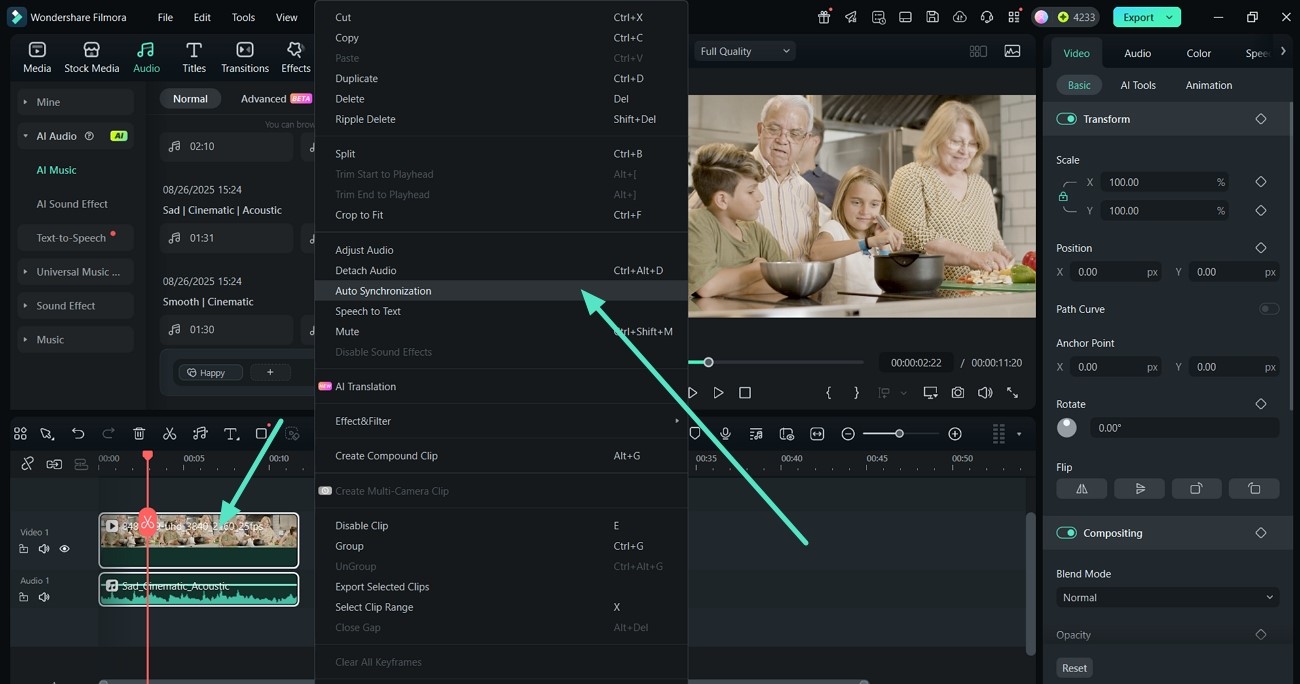
- Step 3. Navigate to the Auto Synchronization Feature.
As all added files are mis-aligned, simply select all imported media and right-click to pick “Auto Synchronization” from the drop-down menu.
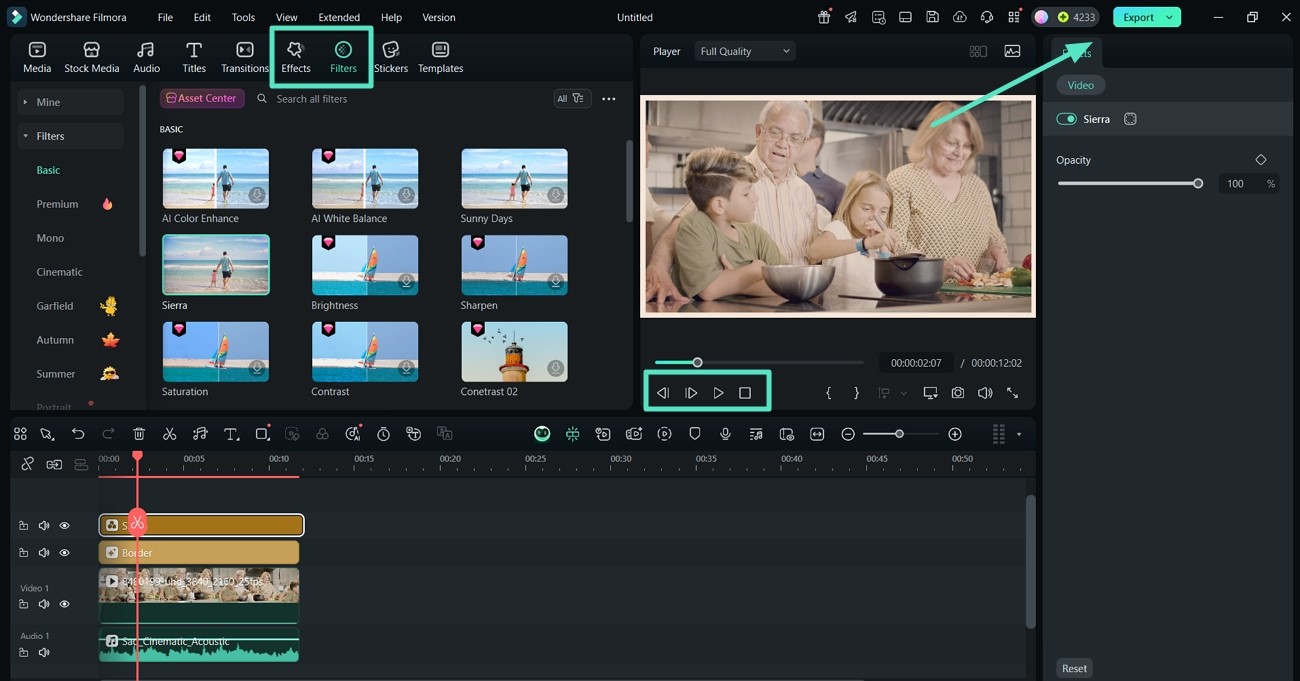
- Step 4. Improve Visual Appearance and Export it.
Jump to the “Filters” or “Effects” tab to improve the appearance of the video before hitting the “Export” button.
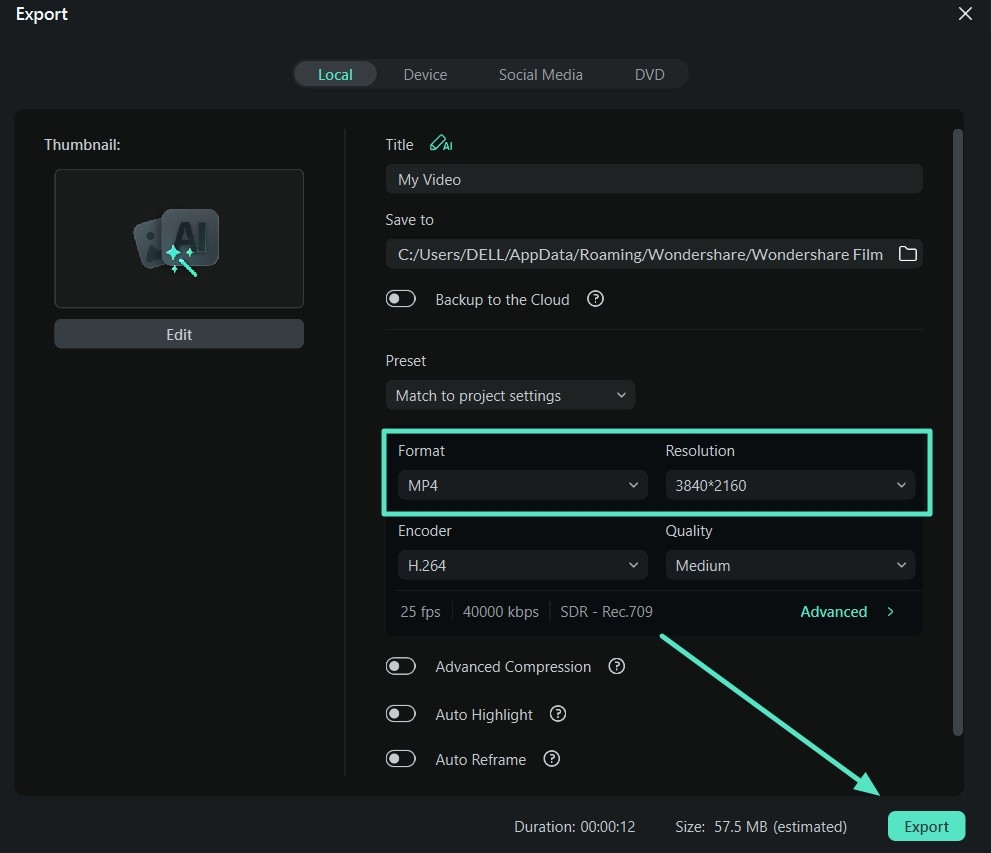
- Step 5. Set File Format and Resolution to Export.
Finally, at the Export window, choose the “Format” and “Resolution” of the video to hit the “Export” button.
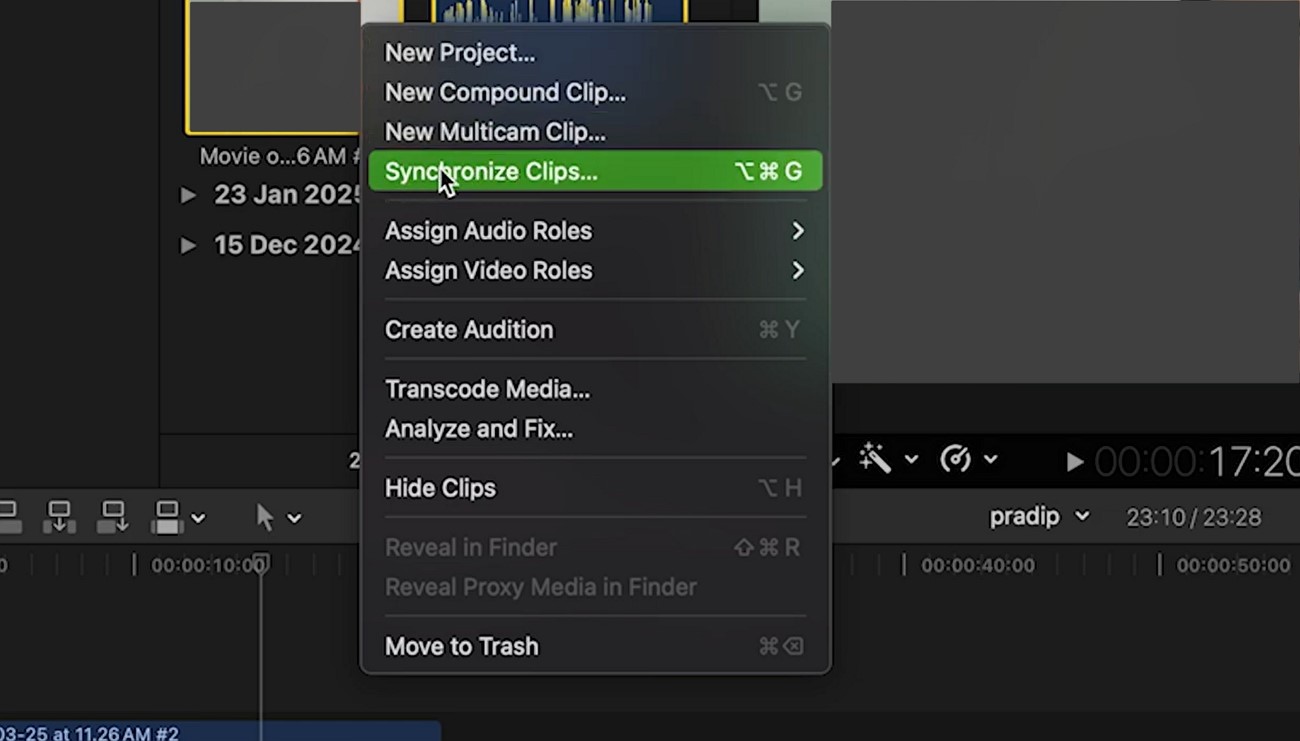
- Final Cut Pro X
Final Cut Pro X does advanced audio synchronization with the help of an automatic sync feature that aligns separate audio and video tracks. It ensures that once you are done synchronizing sound with video, you can export the video in high quality with different video codecs.
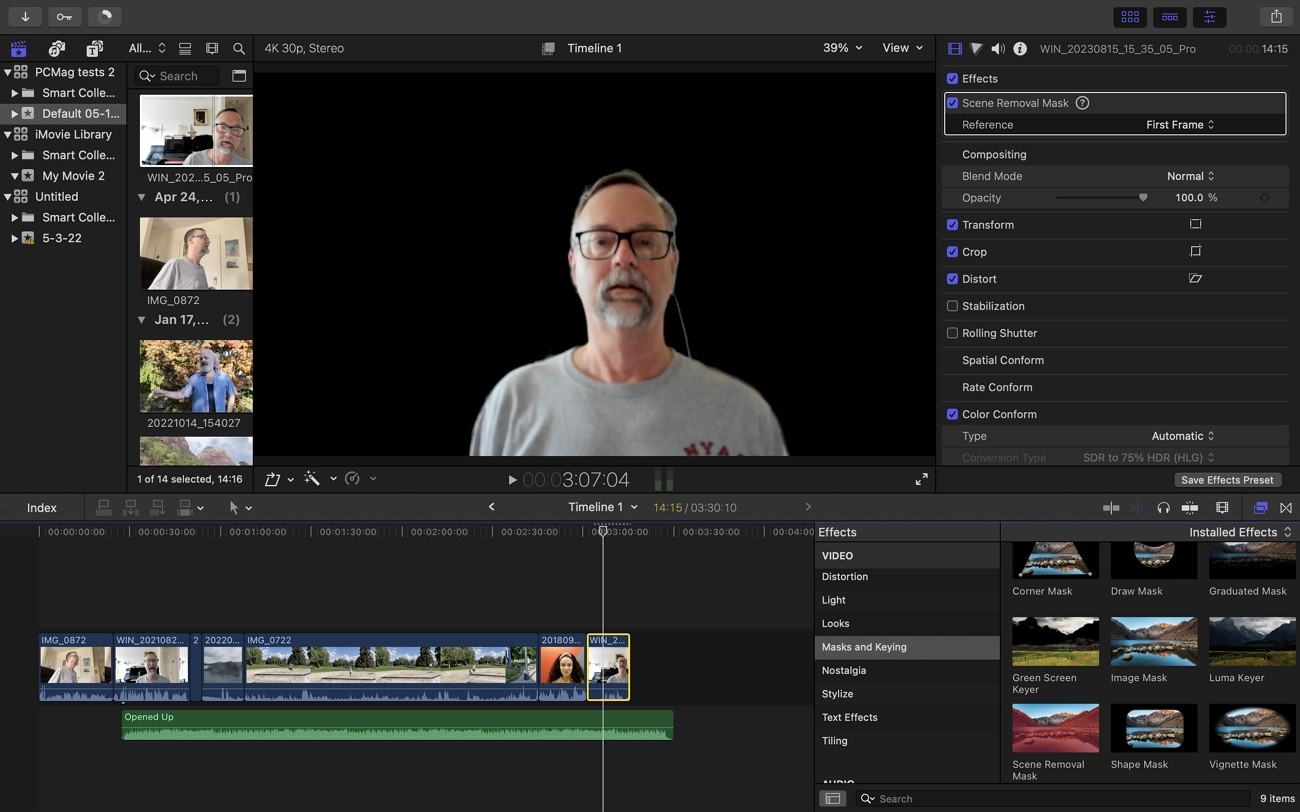
- Camtasia
Audio sync to video is streamlined by a drag-and-drop timeline and accurate auditory waveform editing in Camtasia. It enables you to synchronize narration, sound effects, or background music with the screen recording and animation easily. The audio leveling and noise removal features possessed in the software make the audio synchronized to the very characteristics of the visuals.
In conclusion, this article looks into the top-most used online and offline solutions that allow you to automatically sync audio to video. However, the most advanced tool for this process is Wondershare Filmora, as it is powered by AI technology and ensures quick synchronization. With just a click, you can detach your audio and sync the content to each other for a smooth viewing experience.
1. How to sync audio to video for free?
Kapwing and FlexClip are some of the free tools that you can utilize to sync audio to video.
2. How to fix audio delay in video?
Audio lag can be corrected by moving the audio track of the video forward or backward in a video editor timeline.

Comments
No comments yet. Be the first to share your thoughts.