

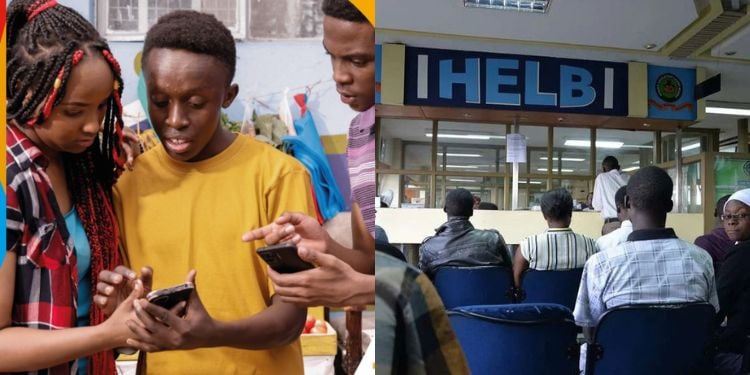
The Higher Education Loans Board (HELB) has published an update on disbursements, confirming it successfully processed and disbursed 12 batches.
In a notice shared on its official page on October 26, the board listed 12 batches for which it had completed disbursement.
Students have been urged to check whether their respective batches are included in the announcement.
“The batches listed below have been successfully processed and disbursed as of 26th October 2026. Check if your batch is listed,” HELB stated.
The batches listed are HELB-006970, HELB-007172, HELB-007173, HELB-007176, HELB-007177, HELB-007178, HELB-007179, HELB-007181, HELB-007182, HELB-007187, HELB-007190 and HELB-007191.
Students whose batch numbers appear in the announcement are encouraged to check their individual accounts to confirm their loan disbursement status.
However, the board notes that disbursement is done in batches and the funds are allocated once the loan is fully disbursed.
Requirements for Checking HELB Disbursement Progress
Students checking their loan disbursement status should have access to their registered HELB accounts and the login credentials required to access the relevant services.
They may also need their student or loan application details to identify their records.
Where available, the dispatch batch number can help students compare their status with the published disbursement update.
Alternatively, students can check the payment channel associated with their loan to confirm whether they have received the funds.
Students are advised to use official HELB platforms when checking their status and should not share their passwords, PINs, or verification codes with unauthorized individuals.
How to Check HELB Loan Disbursement Status
Students can use the student portal to check their loan disbursement progress by visiting the official HELB website.
After logging in using their registered credentials, students should review the available loan and disbursement information to establish the status of their applications.
If a batch number appears on the list, they should check their individual accounts and relevant payment channels to confirm whether they have received the funds.
HELB also provides a USSD service accessible through *642#, which students can use to access available services.
According to the loans board, students who cannot find their batch numbers should continue monitoring official HELB announcements and check their individual accounts for updates on their loan applications.
How to Contact HELB
Contact HELB through its official website at www.helb.co.ke or use the USSD code *642# for assistance.
In addition, the loan beneficiary can also reach the board by calling +254 711 052 000 or emailing contactcentre@helb.co.ke for further inquiries.
The Board encourages applicants to provide the relevant application or account details when seeking assistance, while keeping their passwords and other confidential security information private.
How to Access HELB Upkeep
- Dial *642# and select the Login option.
- Enter personal details to log in.
- Select Withdraw Funds.
- Select Upkeep and enter the amount to withdraw.
- Receive a confirmation message once the funds have been deposited into the M-Pesa account.
Follow our WhatsApp Channel and X Account for real-time news updates

Comments
No comments yet. Be the first to share your thoughts.