
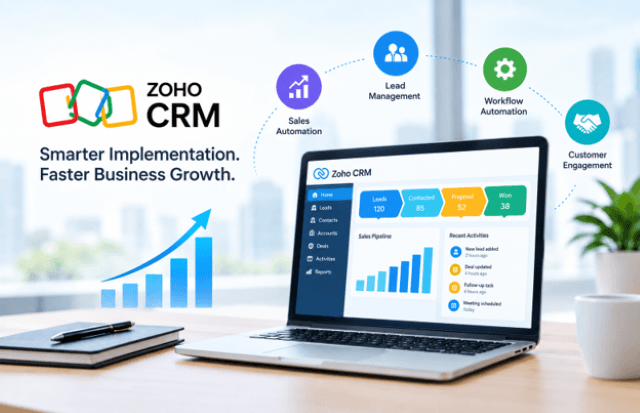
Growth rarely breaks a business all at once. It shows up as a lead nobody followed up on, a forecast finance does not trust, or a customer record that exists in three spreadsheets with three different phone numbers. As customer data, sales activities, and internal handoffs multiply, a simple contact list stops being enough. Teams that invest in well-planned Zoho CRM automation can remove much of the repetitive work behind these problems and give sales operations a steadier base to grow on.
Buying a CRM platform is the easy part. The harder part is deciding how it should reflect the way your company sells, serves, and reports. A thoughtful zoho crm implementation turns a generic tool into a system your team actually uses, and that difference often decides whether the software supports business growth or becomes another login nobody opens.
This article looks at where scaling problems start, which capabilities matter most, how to plan the work, and how to tell whether it is paying off.
Why Businesses Struggle to Scale Without the Right CRM Strategy
Most scaling problems are process problems that go unnoticed while the team is small. Five people can keep a pipeline in their heads. Twenty-five cannot.
Disconnected customer data
When marketing keeps leads in one tool, sales tracks deals in another, and support logs issues in a shared inbox, nobody sees the full customer picture. A sales rep may call a prospect who raised a complaint last week. An account manager may miss a renewal signal because the usage data lives elsewhere. Without a single source of customer data, customer insights are partial at best.
Manual processes and repetitive admin
Copying details between systems, updating spreadsheets after calls, and chasing colleagues for status updates all take time away from selling. Industry surveys regularly show that sales reps spend a large share of the week on non-selling tasks, and anyone who has managed a sales team will recognize the pattern. Manual entry also introduces errors, which then undermine reports built on that data.
Inefficient lead management
Leads that arrive through web forms, events, referrals, and ads need consistent handling. In many growing companies, assignment depends on whoever notices the lead first. Response times vary, follow-ups depend on memory, and promising prospects go cold. Weak zoho crm lead management, or lead handling in any system, shows up directly as lost revenue.
Poor sales visibility
Leaders who cannot see where deals sit, how long they stay in each stage, or which sources produce qualified opportunities end up managing by gut feel. Forecasts become negotiations rather than calculations, and it is hard to tell whether a slow quarter is a pipeline problem or a conversion problem.
Using sales management software helps only when the data inside it is complete, consistent, and trusted. That is a design question, not just a purchasing one.
How Smarter Zoho CRM Implementation Supports Business Growth
A smarter approach starts from business outcomes instead of software settings. Rather than asking which modules to switch on, it asks what the company needs to see, automate, and measure as it grows.
Sales operations become repeatable. When stages, entry criteria, and handoffs are defined in the system, new hires follow the same path as veterans. This matters when headcount grows faster than informal training can keep up.
Customer relationship management becomes consistent. A complete history of emails, calls, quotes, and support interactions attached to each account means anyone on the team can pick up a conversation without asking for a briefing.
Workflows become efficient. Approvals, task assignments, and notifications run according to rules instead of reminders. People spend less time coordinating and more time on conversations that move deals forward.
Teams become more productive. Cleaner screens, relevant fields, and fewer duplicate steps help improve sales team productivity. A rep who needs five clicks instead of fifteen to log an activity will actually log it.
Customer data becomes visible. Role-based dashboards give executives, managers, and reps the view they need, built from the same underlying records.
None of this happens by default. It comes from decisions made during setup: which fields exist, which stages are used, who owns what, and which tasks the system handles on its own. Those decisions are what make growth manageable rather than chaotic.
Key Zoho CRM Features That Support Scalable Operations
Understanding the main Zoho CRM features helps teams choose what to configure first. Not every feature is needed on day one, but these areas tend to matter most for scaling.
Lead and contact management. Leads, contacts, accounts, and deals are linked, with scoring, source tracking, and duplicate checks. This keeps the database usable as volume rises.
Sales pipelines. Custom pipelines let different products, regions, or deal types follow different stages. A subscription renewal does not need the same stages as a six-month enterprise project, and separate pipelines keep reporting meaningful.
Workflows and automation. Rules can update fields, assign owners, send emails, and create tasks when conditions are met. This is where much of the time savings come from.
Reporting and dashboards. Standard and custom reports show pipeline value, activity levels, win rates, and lead sources. Dashboards turn these into views managers can check daily.
Analytics. Deeper analysis helps teams compare periods, segments, and team performance, and spot where deals stall.
Integrations. Connections to email, accounting, marketing, support, and communication tools keep information moving between systems.
Customization. Custom modules, fields, layouts, and rules let the system match real processes. This is a strength, but also a risk, as covered later.
Together, these capabilities make Zoho CRM software a flexible foundation. Well-configured Zoho CRM solutions are less about the number of features used and more about whether each one solves a specific operational problem.
The Role of CRM Automation in Scaling Sales Operations
If one capability separates a growing sales organization from a stalled one, it is often CRM automation. The goal is not to replace people. It is to automate repetitive sales tasks so people can spend time on judgment-heavy work.
Reducing repetitive work and manual errors
Data entry, status updates, and reminder emails are predictable. Zoho CRM workflows can handle them by updating a field when a deal moves stage, creating a follow-up task after a demo, or notifying a manager when a large deal sits idle. Fewer manual touches also mean fewer typos and omissions.
Automating follow-ups
Speed matters in the first hours after an enquiry. With automated lead follow-ups, a new lead can receive an acknowledgment, trigger a task for the assigned rep, and set a reminder if no activity is logged within a set period. A rep still writes the personal message, but nothing slips through the cracks.
Routing leads and triggering tasks
Rules can assign leads by territory, product interest, company size, or round-robin. A lead from a manufacturing firm in one region can go straight to the rep who handles that segment. When a deal reaches the proposal stage, the system can create tasks for legal review or pricing approval.
Maintaining consistent processes
Zoho CRM sales automation keeps every deal on the same path. Required fields can prevent a deal from advancing without a budget confirmed, which cleans up forecasting later.
A practical example
Consider a distributor that receives 300 enquiries a month through its website and trade shows. Before automation, leads sit in a shared inbox until someone sorts them, which takes a day or more. After setting up Zoho CRM workflow automation, enquiries are scored, assigned by region, and followed by a templated reply within minutes, while high-value accounts alert a senior rep. The team has not grown, but the handling is faster and more consistent.
The caution is to automate a process that already works. Automating confusion only produces confusion faster, which is why process mapping comes first.
How Zoho CRM Integration Connects Business Operations
A CRM platform that stands alone creates another data silo. Customer information is spread across accounting systems, marketing tools, support desks, e-commerce stores, and communication apps, and a CRM is most useful when it reflects that wider picture.
Zoho CRM integration connects business applications so records stay aligned. Several patterns are common:
- Finance and ERP systems: invoices, payment status, and order history appear on the customer record, so sales sees whether an account is overdue before pitching an upsell.
- Marketing platforms: campaign engagement flows into lead records, helping sales prioritize contacts who have shown interest.
- Support tools: open tickets are visible to account managers, which protects customer relationships.
- Email and calendar: meetings and conversations are logged without manual effort.
- Telephony and messaging: calls and chats are linked to the right contact.
These connections centralize customer data and improve workflow continuity. A quote approved in the CRM can create a sales order in the ERP, and a payment recorded in accounting can update the deal status. Nobody re-enters the same information.
Teams with simple needs can often use built-in connectors and marketplace extensions. Those with legacy systems, custom databases, or multi-step data flows may need Zoho CRM integration services to design mappings, handle sync rules, and test edge cases. Whichever route is taken, planning matters: decide which system owns which data, how conflicts are resolved, and who monitors failed syncs.
Using AI and Machine Learning to Improve Sales Forecasting
Forecasting is where a lot of sales leaders lose sleep. Pipeline numbers look healthy until the quarter closes and half the expected deals slip. The cause is often optimism, inconsistent stage definitions, or incomplete data rather than bad intent.
AI and predictive analytics help by examining historical patterns that people cannot easily process at scale. Models can look at past deal outcomes, deal age, activity levels, stage progression, and engagement signals, then estimate which opportunities are likely to close and which are at risk. Managers get a second opinion on the pipeline, and reps get prompts about deals that need attention.
For a deeper look at how machine learning in sales supports more reliable forecasts, it is worth reviewing how predictions are generated and what inputs they depend on.
A few practical points apply regardless of tooling:
- Predictions depend on data quality. If reps skip logging activities or leave close dates unrealistic, the model learns from poor signals.
- Sufficient history helps. Predictive features tend to work better when a company has enough closed deals to establish patterns.
- Forecasts support judgment, not replace it. A manager’s knowledge of a customer’s budget cycle still matters.
- Consistent stages matter. Predictions are only as reliable as the pipeline definitions behind them.
Used this way, AI-assisted sales intelligence improves sales forecasting by narrowing the gap between what the pipeline says and what actually closes. Finance can plan more confidently, and sales leaders can focus coaching where it counts.
Building an Effective Zoho CRM Implementation Plan
A clear Zoho CRM implementation plan keeps the project from drifting into endless configuration. The following sequence works for most mid-sized businesses.
1. Define business objectives
Start with outcomes: shorter response times, better forecast accuracy, fewer lost leads, or a single customer view. Objectives guide every later decision and give you a baseline for measurement.
2. Map existing sales processes
Document how leads arrive, who qualifies them, how deals progress, and where handoffs occur. Talk to reps, not only managers, because the real process often differs from the official one.
3. Identify automation opportunities
Look for tasks that are repetitive, rule-based, and frequent: assignment, reminders, status updates, and approval requests. Rank them by time saved and risk.
4. Configure CRM workflows
Build pipelines, stages, validation rules, and workflows based on the mapped process. Start with the simplest rules that deliver value and test each before adding more.
5. Integrate business applications
Connect email, accounting, marketing, support, and any ERP or inventory systems. Define data ownership and sync direction before building connections.
6. Migrate and clean customer data
Remove duplicates, standardize formats, archive dead records, and map old fields to new ones. Importing messy data into a new system only relocates the mess.
7. Configure user roles and permissions
Set access by role so people see what they need and nothing more. This protects sensitive data and keeps screens uncluttered.
8. Train teams
Train by role and by task, using real scenarios from your own pipeline. A short session on “how to log a call and schedule the next step” is worth more than a long tour of every menu.
9. Monitor adoption and performance
Track logins, record completeness, and activity logging in the first weeks. Early gaps are easier to fix than habits formed months later.
10. Continuously optimize the CRM
Review workflows quarterly, retire unused fields, and adjust stages as the business changes. A CRM is an operating system for sales, and it needs maintenance.
Some organizations handle this internally; others bring in Zoho CRM implementation services or Zoho CRM consultants to supply structure and experience, particularly for migration and integration. Technology firms such as ERPOcean, which works across ERP and CRM projects, are one example of the kind of provider businesses evaluate when internal capacity is limited.
Common Zoho CRM Implementation Mistakes to Avoid
Most failed projects share a short list of avoidable errors.
Implementing without process mapping. Configuring the tool before understanding the process produces fields and stages nobody needs. Map first, build second.
Poor data migration. Importing duplicates, outdated contacts, and inconsistent formats creates distrust from the first day. If people stop trusting the data, they stop using the system.
Excessive customization. Custom modules and fields are useful, but each one adds maintenance and training. A good test is whether a customization solves a recurring problem or just satisfies one person’s preference.
Ignoring user adoption. A well-built system fails if reps see it as surveillance or extra paperwork. Involve them early, explain how it saves them time, and collect feedback.
Lack of automation planning. Adding rules ad hoc leads to conflicts, such as two workflows sending different emails for the same trigger. Document automation logic in one place.
Insufficient training. One kickoff session is rarely enough. New hires, new features, and process changes all need ongoing training.
Weak integration strategy. Connecting systems without deciding which holds the master record produces duplicates and overwritten data. Define ownership and error handling up front.
Failure to measure CRM performance. Without baseline metrics and regular reviews, nobody can say whether the investment is working. Set indicators at the start and review them on a schedule.
When Businesses Should Consider Zoho CRM Consulting
Not every company needs outside help. A small team with a simple sales process can often configure the basics alone. But there are situations where professional guidance saves time and rework.
- Complex workflows: multi-stage approvals, conditional routing, or different processes by region or product line.
- Data migration: moving from legacy CRMs, spreadsheets, or multiple sources with inconsistent records.
- Integrations: connecting the CRM to ERP, accounting, or custom applications.
- Heavy customization: building custom modules, functions, or APIs that go beyond standard configuration.
- Automation at scale: designing Zoho CRM workflow automation that spans departments without creating conflicts.
- Large-scale adoption: rolling out to many users, locations, or business units with training and change management.
In these cases, Zoho CRM consulting provides an outside view of how comparable organizations structure their systems. Zoho CRM consulting services typically cover requirement analysis, solution design, configuration, data migration, and post-launch support. Zoho CRM experts who have handled similar projects can anticipate problems, such as how a pipeline design will affect reporting six months later.
When evaluating a Zoho CRM implementation partner or a Zoho CRM development company, look past the sales pitch. Ask about experience in your industry, how they document requirements, how they handle training and handover, and whether they support the system after go-live. References from similar-sized businesses are more useful than generic claims. Consider also whether the provider understands adjacent systems; for example, ERPOcean works across both ERP and CRM environments, which can matter when integration with finance and operations is a priority.
Measuring the Success of Zoho CRM Implementation
A project is not finished at go-live. Success should be measured against the objectives set at the start, using indicators the CRM itself can report.
Lead response time. How quickly are new leads contacted? A falling average suggests routing and follow-up automation are working.
Conversion rates. Track movement between stages and from lead to customer. Improvements in lead conversion usually point to better qualification and follow-up discipline.
Sales cycle length. Shorter cycles, where the deal type has not changed, suggest fewer bottlenecks and better handoffs.
Sales productivity. Look at activities per rep, deals handled, and revenue per rep. Sales productivity gains often show up as more selling time rather than more hours worked.
Pipeline visibility. Can managers answer basic questions quickly: how much is in each stage, which deals are stuck, which sources perform best? If those answers still require spreadsheets, the system needs adjustment.
CRM adoption. Measure active users, record completeness, and consistent activity logging. Low adoption is an early warning sign.
Workflow efficiency. Track time saved on routine tasks, approval turnaround, and the number of manual steps removed.
Customer retention. Renewal rates, repeat purchases, and churn show whether better customer engagement is carrying through after the sale.
Forecasting accuracy. Compare forecasts with actual closed revenue over several periods. Narrowing variance is one of the clearest signs of a healthier pipeline.
Review these indicators monthly at first, then quarterly. Compare against the baseline recorded before implementation, and treat unexpected results as prompts to adjust workflows or training, not as failures.
Conclusion
Scaling sales operations depends less on adding people and tools than on removing friction from how information and tasks move. A smarter approach to zoho crm implementation begins with business objectives and process mapping, builds workflows around real behavior, connects the surrounding systems, and keeps measuring after launch.
Done well, it centralizes customer data, automates routine work, improves pipeline visibility, and creates a more efficient CRM environment that new team members can learn quickly. Businesses that want outside input, whether from internal specialists or technology firms like ERPOcean, are best served by treating the CRM as an evolving part of operations rather than a one-time project. The companies that scale most smoothly tend to be those that review, adjust, and keep the system aligned with how they actually sell.
FAQs
- How long does a typical zoho crm implementation take?
It depends on scope. A small team with a single pipeline and few integrations may be live within a few weeks. Projects involving data migration, multiple departments, custom modules, or ERP connections can take several months. Clear requirements and clean data are the biggest factors in keeping the timeline predictable.
- Is Zoho CRM software suitable for growing mid-sized businesses?
Yes, in most cases. It offers configurable pipelines, role-based access, automation, reporting, and integration options that can scale as teams and customer volumes grow. Suitability depends mainly on how well the system is configured to match your sales process, not on company size alone.
- What kinds of tasks can CRM automation handle?
CRM automation can assign leads, send acknowledgment emails, create follow-up tasks, update fields when deals change stage, trigger approval requests, and alert managers when deals stall. It works best for repetitive, rule-based tasks, while relationship-building and negotiation still need people.
- Why is Zoho CRM integration important?
Zoho CRM integration keeps customer information consistent across tools such as email, accounting, marketing, and support platforms. This reduces manual data entry, avoids duplicate records, and gives sales and service teams a more complete view of each customer.
- When should a company use Zoho CRM consulting?
Zoho CRM consulting is worth considering when processes are complex, data migration is substantial, integrations are involved, or a large rollout needs structured training and change management. Smaller, simpler setups can often be handled internally with careful planning.



Comments
No comments yet. Be the first to share your thoughts.