
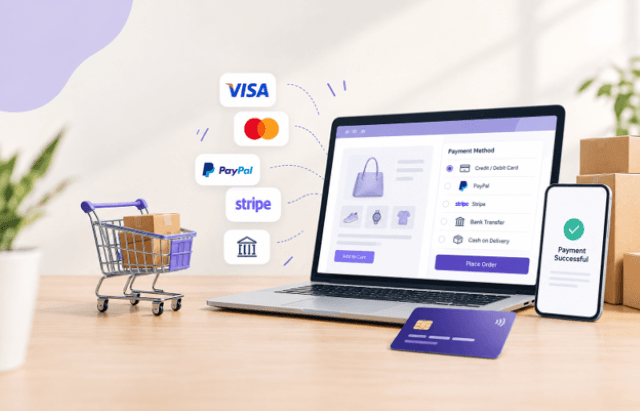
Every online order depends on a payment that goes through. A store can have strong products, good pricing, and steady traffic, but if customers hit declined cards, limited payment options, or a confusing payment step, they leave. Reliable ecommerce payment processing is part of the sales process itself, and businesses comparing options can review our guide to best WooCommerce payment gateways to understand the factors that matter when selecting a gateway for an online store.
WooCommerce gives merchants a lot of freedom here. It doesn’t lock a store into one provider, and plugins can connect it to the payment service provider that suits a given market, business structure, or customer base. That flexibility is useful, but it also means the choice is yours to make and manage.
This article explains why payment management deserves attention, what to look for in a WooCommerce payment plugin, and how eight specific plugins fit different needs. It also covers the problems stores run into most often.
Why Ecommerce Payment Processing Matters for WooCommerce Stores
Payment is the last step before revenue. Anything that creates friction at that point costs more than friction elsewhere on the site, because the customer has already decided to buy.
Customer expectations are specific
Shoppers expect to pay with the method they already trust. In one market, that may be a local card network. In another, it may be a bank-based option or a well-known processor. When a store doesn’t offer the expected payment options, some buyers abandon the order rather than adapt.
Checkout experience affects completion
A clear ecommerce checkout loads quickly, shows familiar payment details, and doesn’t send customers through unexpected steps. Hosted payment pages and embedded card forms each have trade-offs, and the right choice depends on how much control you want over the look of the page versus how much of the payment handling you prefer to leave with the provider.
Failed payments have real costs
A failed transaction is not always a lost sale, but it often is. Declines can come from card issues, gateway misconfiguration, mismatched settings between the store and the processor, or limited support for a customer’s card type. Stores that track failed transactions usually find patterns they can fix.
International payments add complexity
Selling across borders raises questions about currencies, local payment preferences, and which gateways work in which regions. Multi-currency payments and international payments rarely work well when handled as an afterthought.
Transaction management gets harder as you grow
At low volume, a single gateway and a manual review of orders can be enough. As order counts rise, or as a business adds brands, regions, or entities, transaction management becomes an operational task of its own. Reconciling payments, separating accounts, and tracing a disputed order all take time.
What to Look for in WooCommerce Payment Plugins
Not every plugin suits every store. Before comparing individual products, it helps to define your criteria.
Gateway compatibility
The plugin must connect to the payment gateway you actually use or plan to use. That sounds obvious, but many stores choose a plugin first and then discover their processor isn’t supported. Start with the provider relationship, then look for a plugin that fits it.
Security
Payment security is a baseline requirement. Look at how the plugin handles card data, whether it relies on hosted fields or a hosted payment page, and what the gateway provider itself requires. Hosted approaches generally reduce the amount of sensitive data your store handles directly, though the specifics vary by provider and setup.
Payment methods and options
Check which payment methods the underlying gateway supports, not only what the plugin lists. A store that wants to support multiple payment methods should confirm what the gateway offers in the regions it sells to.
International and multi-currency needs
If you sell outside your home market, confirm how the gateway handles currencies and which countries it serves. Confirm this with the provider directly rather than assuming.
Ease of integration
Payment gateway integration should be manageable without rebuilding the checkout. Consider how settings are configured, whether test modes are available, and how much technical work your team will need to do.
Checkout experience
Consider how the plugin presents payment fields, whether customers stay on your site, and how the payment step looks on mobile.
Updates and support
WooCommerce, WordPress, and payment providers all change over time. A plugin that is maintained and supported is easier to rely on. Check update history and support channels before you commit.
Top WooCommerce Plugins for Ecommerce Payment Processing
The plugins below address different situations. Some are about gateway choice, one is about account structure, and others are tied to specific providers and regions. Read them with your own business setup in mind.
1. WooCommerce Multiple Stripe Accounts Payment Method
The WooCommerce Multiple Stripe Accounts Payment Method plugin addresses a situation that standard setups don’t handle well: a store that needs more than one Stripe account.
Many businesses operate with more than one account for good reasons. A company might run separate legal entities, several brands under one store, or different regions that settle into different accounts. Handling that through a single connection can mean workarounds, manual tracking, or duplicate stores.
Multiple Stripe accounts in WooCommerce let a merchant route payments to different accounts from one storefront. The main payment-management benefit is cleaner separation of funds and records, which can simplify accounting and reporting.
This plugin is best for agencies managing several client brands, multi-entity businesses, and marketplaces or multi-vendor setups where different parties need separate accounts. If you only operate one Stripe account, a standard plugin is the simpler choice.
2. Stripe Payment Gateway WooCommerce Plugin
For most stores that want to accept online payments through Stripe, the Stripe Payment Gateway WooCommerce Plugin is the more straightforward starting point.
Stripe is one of the most widely used providers for online card payments, and a dedicated Stripe payment gateway for WooCommerce connects it to your checkout so customers can pay by card without leaving the order flow. It is the practical option for a single store with a single account.
The benefit here is simplicity. You get a recognizable payment option and a gateway integration that most WooCommerce developers have worked with before. That familiarity matters when something needs troubleshooting.
Consider it if you’re launching a new store, replacing an older payment setup, or moving away from a gateway that no longer fits. As your account structure grows more complex, you can revisit whether the multiple-account option above makes sense.
3. WooCommerce WorldLine Payment Gateway
Not every merchant should default to the same provider. The WooCommerce WorldLine Payment Gateway gives stores another route for payment processing, built around the Worldline payment gateway.
Worldline is a well-established name in payment services, particularly in parts of Europe. A merchant who already has a relationship with Worldline, or whose bank or acquirer works with it, can connect the existing arrangement to WooCommerce instead of changing providers.
The main benefit is gateway flexibility. Having an alternative to the most common options matters when pricing, regional coverage, or an existing banking relationship points to a different provider.
This option suits merchants who already work with Worldline or are evaluating it as an alternative. Before choosing it, confirm with Worldline which payment methods and regions apply to your account.
4. Moneris Direct Payment Gateway for WooCommerce
Merchants in Canada will often encounter Moneris. The Moneris Direct Payment Gateway for WooCommerce connects a WooCommerce store to the Moneris payment gateway using a direct payment approach.
With a direct setup, customers enter their card details on your checkout page, and the transaction is sent to the processor from there. The advantage is a consistent checkout experience, since customers never see a separate page.
The trade-off is that your store takes on more responsibility for how card data is handled, so security practices and compliance requirements deserve careful attention.
This plugin fits merchants who already use Moneris and want to keep the entire payment step on their own site. It is worth considering when brand consistency at checkout is a priority.
5. Moneris Hosted Paypage Payment Gateway for WooCommerce
The Moneris Hosted Paypage Payment Gateway for WooCommerce connects to the same provider through a different method. Instead of collecting card details on your site, the customer is directed to a payment page hosted by Moneris.
The practical benefit is that sensitive card entry happens on the provider’s page, which can reduce how much payment data your own store touches. For smaller teams without dedicated security resources, that can be reassuring.
The cost is a less integrated look. Customers leave your checkout briefly, which some stores see as a disadvantage.
Choosing between the direct and hosted Moneris plugins is really a decision about control versus responsibility. If you want full control of the interface, the direct option fits. If you’d rather keep card entry off your site, the hosted option is the more cautious route.
6. Monetico Payment Gateway for WooCommerce
The Monetico Payment Gateway for WooCommerce is built for merchants working with Monetico, a payment service used by businesses in France.
Regional providers matter because they often match local banking relationships and customer expectations in ways global options don’t. A store that sells mainly to French customers and already works with a bank that offers Monetico has a clear reason to use it.
The main value is gateway flexibility. WooCommerce stores aren’t limited to the processors that dominate English-language discussions, and a plugin that supports a regional gateway keeps that option open.
Consider this plugin if your merchant account is with Monetico or your bank recommends it. As with any gateway, confirm supported features and settings with the provider before going live.
7. WooCommerce Pinch Payments Gateway
The WooCommerce Pinch Payments Gateway connects WooCommerce to Pinch Payments, a provider used in Australia.
Because it is a more specialized provider, it tends to appeal to merchants with particular local requirements. Businesses selling in Australia often prefer providers that understand local banking and settlement, and a gateway plugin lets WooCommerce work with them directly.
The benefit is straightforward online payment processing through a provider you may already use for other parts of your business. That can reduce the number of separate payment systems you maintain.
This plugin suits Australian merchants or those serving Australian customers who already have a Pinch Payments account. Check Pinch Payments directly for details on supported payment types and fees.
8. WooCommerce eWay Rapid Gateway
The WooCommerce eWay Rapid Gateway is another option for merchants in the Asia-Pacific region, connecting WooCommerce to the eWAY payment gateway.
eWAY is a familiar name among Australian and New Zealand merchants. A gateway integration for WooCommerce lets those stores use an existing eWAY account for their online checkout without switching providers.
The advantage is continuity. Stores that already accept payments through eWAY in other channels can keep one provider across channels, which makes reconciliation simpler.
Consider it if you already have an eWAY merchant account or if you’re comparing regional options for a store selling mainly in that market.
How to Choose the Right WooCommerce Payment Plugin
With eight options on the table, the useful question is not which plugin is best overall but which one fits your business. These criteria help narrow the field.
Start with where you operate
Your business location often decides the shortlist. Regional gateways such as Moneris, Monetico, Pinch Payments, and eWAY are tied to specific markets. If your bank or acquirer offers one of them, that usually settles the question.
Consider who your customers are
Think about where buyers are and how they prefer to pay. A store serving customers in one country can lean on a regional gateway. A store with a wider audience may need a provider with broader reach.
Match the plugin to your payment methods.
List the payment options you want to offer, then verify that the gateway supports them. Card payment processing is only one piece. If you want to support multiple payment methods, check coverage before building around a provider.
Plan for international transactions
If cross-border sales matter, ask the provider about currency handling and country coverage. Don’t rely on assumptions about what a plugin supports beyond what the provider confirms.
Decide whether you need multiple accounts.
If your business has several entities, brands, or regions that need separate settlement, plan for it early. Retrofitting an account structure after launch is harder than choosing it from the start.
Think about transaction volume
Higher volumes bring more scrutiny of fees, reliability, and support. Review the provider’s pricing and service terms directly, since those details come from the provider and not the plugin.
Review your checkout requirements
Decide whether you want customers to stay on your page or use a hosted payment page. The choice affects both the checkout experience and your security responsibilities.
Check integration requirements
Look at your existing stack: subscriptions, accounting tools, shipping, and other extensions. Confirm that the plugin works with the extensions you rely on, and test in a staging environment first.
Common Payment Management Challenges WooCommerce Stores Face
Most payment problems follow a few familiar patterns. Recognizing them makes it easier to pick the right tool.
Limited payment options
When customers can’t find their preferred way to pay, conversion suffers quietly. Stores often don’t notice, because abandoned carts don’t leave an explanation. Reviewing checkout analytics and customer feedback can reveal gaps.
Failed transactions
Declines can happen for reasons that have nothing to do with the customer. Misconfigured gateway settings, expired credentials, and mismatched currency settings are common causes. Regular testing and clear logging help you separate genuine declines from setup errors.
Multiple payment accounts
Businesses with more than one entity or brand often end up with spreadsheets and manual reconciliation. A setup that routes payments to the correct account from the start avoids much of this work, which is where a multi-account approach earns its place.
Difficult payment management
As more gateways and methods are added, oversight gets harder. Keep a simple record of which gateway handles which payments, who has access to each account, and where to look when something fails.
International payment requirements
Selling abroad introduces currency, regulatory, and customer-preference issues at once. Rather than solving everything immediately, start with the markets that matter most and expand deliberately.
Poor checkout experience
Slow pages, unexpected redirects, and unclear error messages all reduce completed orders. Test your checkout on mobile and on slower connections, and walk through it as a customer would.
Payment gateway compatibility
A gateway that works well in isolation can still conflict with other plugins or themes. Keep WooCommerce, WordPress, and plugins updated, and test changes in staging before applying them to the live store.
FAQ
Can WooCommerce use more than one payment gateway at the same time?
Yes. WooCommerce can offer several gateways at checkout, so customers can choose the option they prefer. Many stores pair a card gateway with a regional or alternative method. Each gateway needs its own configuration, so keep track of which one processes which payments.
What is the difference between a direct gateway and a hosted payment page?
With a direct gateway, customers enter card details on your own checkout page. With a hosted payment page, they are sent to the provider’s page to pay and then return to your store. Direct setups give you more control over appearance but place more responsibility on your store for handling card data. Hosted pages keep card entries with the provider.
How do I choose a payment gateway for a WooCommerce store?
Start with your location, your customers, and your existing banking relationships. Then compare supported payment methods, fees, currency coverage, and support. Plugin directories such as Elsner Store list gateway plugins for several providers, which makes it easier to see which ones match the provider you already work with.
Can one WooCommerce store accept payments into several Stripe accounts?
It is possible with the right plugin. A standard Stripe integration usually connects to one account, so businesses with several entities or brands often need an extension designed for multiple accounts. Elsner Store offers a WooCommerce multiple Stripe accounts plugin for this purpose, and it is worth reviewing if separating settlement matters to your accounting.
Do I need a regional gateway if I already use Stripe?
Not necessarily. Stripe works for many stores, but a regional gateway can make sense if your bank offers one, if customers in a specific market prefer it, or if you already have a merchant account with that provider. Some merchants keep both. If you want to see which regional options exist for WooCommerce, Elsner Store includes gateways such as Moneris, Monetico, Pinch Payments, and eWAY.
Conclusion
Strong ecommerce payment processing doesn’t come from one plugin. It comes from matching your payment setup to how your business actually operates: where you sell, who you sell to, how many accounts you manage, and how much control you want over the checkout.
A single-account store may need nothing more than a reliable Stripe payment gateway for WooCommerce. A multi-brand business may need multiple Stripe accounts to keep records clean. Merchants working with providers such as Worldline, Moneris, Monetico, Pinch Payments, or eWAY can connect those relationships to WooCommerce without changing providers.
Whichever plugin you choose, test it carefully, confirm the details with your payment provider, and review your payment setup as the business grows. Small improvements in payment management and checkout usually pay off more than larger changes elsewhere on the site.
Check out
5 Effective Tips For Taking Your Ecommerce Store To The Next Level



Comments
No comments yet. Be the first to share your thoughts.