
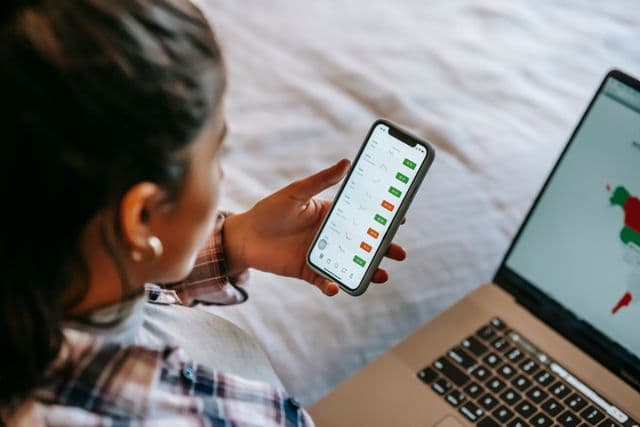
Phones are an essential aspect of today’s living. They have become our close companion, yet they also carry a reputation of being our greatest distraction. While phones can be a significant source of distractions, they can also be excellent productivity assets.
Here are some ways you can use your phone to boost productivity.
1. Turn Off Unnecessary Notifications
A major advantage of phones is the ability to stay ‘on’ wherever you are. Mobile phones make it easy to communicate and receive information, but, ironically, they also affect your productivity. Studies have shown that an overload of notifications has several negative effects, including:
- Increased anxiety and stress
- Increased mental workload and emotional exhaustion
- Reduced Productivity
- Increased frustration and lower motivation
As you switch between your primary task and notifications, you increase your mental workload, which affects your cognitive efficacy. You also train your brain to stay on high alert, awaiting stimulation from the notifications, which increases anxiety and stress levels. The disruptions from notifications also slow you down, increasing the time needed to finish your current task, which affects your motivation to complete it. This entire cycle can lead to frustration, emotional fatigue and burnout.
Instead, turn off notifications for certain blocks of time when you need to focus. It allows you to remain attentive to the primary task and remain efficient.
2. Use Your Phone For Longer Activities
Phones can primarily become a distraction when consuming short-form content like reels or shorts, or when responding to short-form texts. While such activities may be necessary, become intentional about using your phone for activities that require more concentration.
More research suggests a direct link between reduced attention spans and digital overload from phones and other devices. Using phones for tasks like listening to audiobooks, podcasts or reading long articles may help you with reduced attention spans and productivity.
3. Sync Your Notes and App With Your Computer
To increase your productivity, use your phone as an extension of your work computer. Wherever possible, use apps that save your data on both devices so you can pick up where you left off when you switch devices. Depending on your line of work, ideas may come to you on the go, and you can start working on them immediately, regardless of location. It may also be safer to work this way if you’re commuting using public transportation.
4. Use Your Phone as a Habit Tracker
We are on our phones for long periods, so what better place to track how we spend it? Both iOS and Android have tools that let you know how much time you’re spending on different apps. You can also install habit tracking apps. You could also use such tools to track your habits beyond phone use.
5. Use Your Phone for Time Management and Task Scheduling
You can easily replace your paper to-do list with your phone. Key in everything you need to do in a day, and what time you need to do each task, and let the phone serve as your personal assistant. You can also have blocks of time for each task.
6. Use Your Phone for Microlearning
Technology has significantly affected how we learn stuff in today’s world. Microlearning is one of the approaches used today to deliver educational content. It’s an effective way of helping learners retain information by offering bite-sized content. Whether on a commute, at a restaurant or when cleaning, you can use your phone to learn a new language, skill or concept.
7. Automate Tasks Using Your Phone
With the arrival of AI, automation has become another buzzword, but it doesn’t belong only in the ‘serious’ tech world. You can also use your phone to automate some repetitive tasks, leaving you with fewer things to do or remember.
You may want to automate something like your morning routine, a reminder to buy groceries on a certain day or something as simple as your bedtime routine, where your phone goes on automatic DnD mode at a certain time. Whether on iOS or Android, automations work by setting ‘triggers’ and specifying the action you want to take place when the trigger occurs.
For example, you may want your phone to read out your calendar items for the day every morning at a certain time. You can also automate routine messages. Automations help reduce mental workload.
On Android, you can use Google Routines through Google Assistant. Most Samsung Galaxy devices running on One UI 4.0 or Android 12 and newer have Modes and Routines, and iPhones have Shortcuts to help you with automation.
8. Turn Your Phone into a Productivity Dashboard Using Widgets
Instead of searching for and opening apps every time you need them, you can set up widgets for the apps you use most, and they can stay on your screen until you decide to remove them. The apps can run in the background, and you can easily view updates on your screen.
9. Use Voice-to-Text
You can increase your productivity by using the voice-to-text tools on your phone. Got an idea or need to create a draft? Dictate it to your phone, then edit the text later. This is a useful tool for taking notes, recording ideas, and writing on the go.
10. Declutter Your Screen
A minimalistic homescreen will help improve your focus. Distractions tempt us because we can see them. Having a homescreen that only contains your essential apps helps you stay intentional about how you use your phone. Use a simple layout for your homescreen to minimize distractions.
Transforming Your Phone Into a Productivity Tool
You can use your phone as your productivity ally by helping you multitask, reduce dopamine exposure by managing notifications, screen time and access to certain apps. You can also be proactive about increasing efficiency by decluttering your phone.
While phones are great for entertainment, once you know the right tools to use, they can be effective at boosting your productivity, whether at work or in your personal life.
Check out
5 Simple Habits At Work That Will Instantly Boost Your Productivity
Digital Mindfulness: Is This A Better Option Than A Device Detox?
4 Types Of Apps To Help You With Working And Earning – Anytime, Anywhere
Technology: 10 Phone Apps You Can Use To Make Your Life Easier



Comments
No comments yet. Be the first to share your thoughts.