
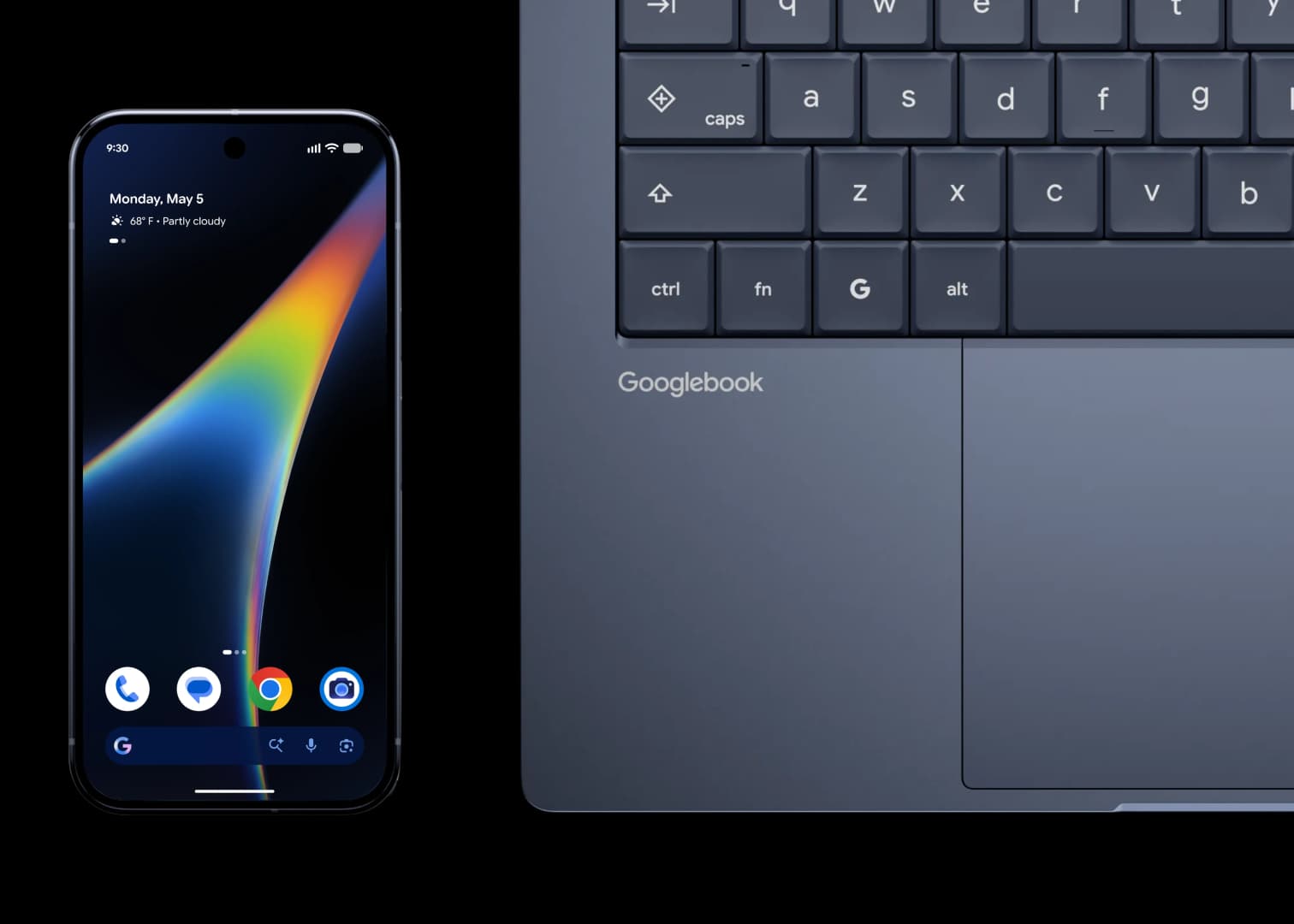
Googlebooks, Google’s new laptop platform built around Android, launched on October 4. Within days, two things came out: Intel models may struggle with some Android apps, and Google officially lets you unlock the bootloader. Here is what is known so far.
The first Googlebooks come in two flavors. Acer, ASUS, and Lenovo each make an Intel Core 5 model, and Dell and HP make models with the Snapdragon X Elite, which is an ARM chip.
That split is important because most Android apps are built for ARM. Intel Googlebooks have to translate ARM code into something the x86 processor can run, and the translation is done in hardware.
Google has said before that this costs performance and battery life. Apps compiled for x86 skip the translation and avoid the penalty.
Google admits that some “complex” apps have compatibility problems on Intel Googlebooks. The company told Android Authority that the vast majority of apps run fine on both Intel and Qualcomm machines.
A small handful of complex apps or games need developer tuning to run well on Intel. Google says it is working with developers, Intel, and Qualcomm on this.
Several things are still unknown. Google did not name the affected apps or describe what goes wrong with them. Google also keeps a curated list of apps optimized for Googlebooks, but apps outside that list can still be installed from the Play Store.
Independent testing of the Intel and ARM models should show how big the gap is.
An official Google support page, spotted by a Reddit user, says developers and advanced users can unlock a Googlebook’s bootloader. The bootloader is the software that starts the operating system when the laptop powers on. Unlocking it lets you install a custom OS or test an app.
The page also carries warnings:
- Unlocking erases all data on the device
- It disables device security
- Google does not support modifications, which can cause hardware, software, or security problems and may void the warranty
The process looks similar to a Pixel phone. You enable OEM unlocking in Developer Options, boot into recovery mode with a combination of hardware buttons, and follow the on-screen instructions.
The support page does not spell out much beyond that, so the full procedure is not public yet.
Nobody knows. Google told PCMag it has not tested other operating systems and cannot guarantee how they would behave.
Google does say users who only want Linux can use the built-in Terminal app, which runs a full Linux environment in a virtual machine. That works without changing the OS and without unlocking the bootloader, so the device stays in its secure state.
Compared with Chromebooks, this is a friendlier setup. Chromebooks have a developer mode for running Linux. Installing Windows on one usually means replacing the UEFI firmware on Intel or AMD models.
Sometimes it also means opening the laptop and disconnecting the battery to turn off firmware write protection. Googlebooks do not require anything like that to unlock.
John Wu, the developer of Magisk, the open-source tool for rooting Android devices, announced on X that Magisk is coming to Googlebooks. He said new code and instructions would follow in the next few days. Wu is also a Google employee.
His early assessment is that unlocking a Googlebook works much like unlocking an existing Pixel. He says Googlebook OS is fundamentally Android, with standard Android fastboot, fastbootd (the userspace version of fastboot), and Android recovery.
There is one catch for now. Flashing over USB from a host computer does not work without specialized cables.
Rooting on a laptop would allow deep system modifications, performance tuning, ad blocking, and root-level automation scripts that regular laptops generally do not permit.
Googlebooks will run most Android apps without trouble, but Intel models may stumble on a few demanding ones, and Google has not said which. The hardware is open to tinkering, but Google offers no guarantees about alternative operating systems.
The open questions are how big the Intel compatibility gap really is and whether anything beyond Googlebook OS and Linux in a VM runs well.

Comments
No comments yet. Be the first to share your thoughts.